Pop Task · A day planner for iPhone
What you owe today. One card at a time. Nothing else.
Pop Task deals today's tasks and reminders as a deck of cards. Swipe up to start, double-tap to finish. Tomorrow stays out of sight until it is tomorrow, so the day can actually end.
Free. No account. iPhone, iOS 18 and later.
One card at a time.
An unfocused list is a scary monster. A deck has an end.
An empty deck is not an error. It is the goal, and the app is honest about it: it congratulates you only when something was really finished.
A bag for the tasks you can't date yet.
Every list app demands a date, so everything gets a fake one. The Task Bag is the same deck with two different verbs, and instead of a false due date each card shows how long it has been waiting: Today, 3d, 2w, 1y. The badge is a dot, never a count: your maybes wait without shouting their number at you.
Fix the balcony door hinge
One button moves the whole day back. Nothing is recorded.
Call in sick pushes every queued one-off task back a few days. Reminders stay, because a birthday cannot be pushed. Routines stay. And the app keeps no record: no event, no count, no broken streak. Declared rest beats quiet guilt.
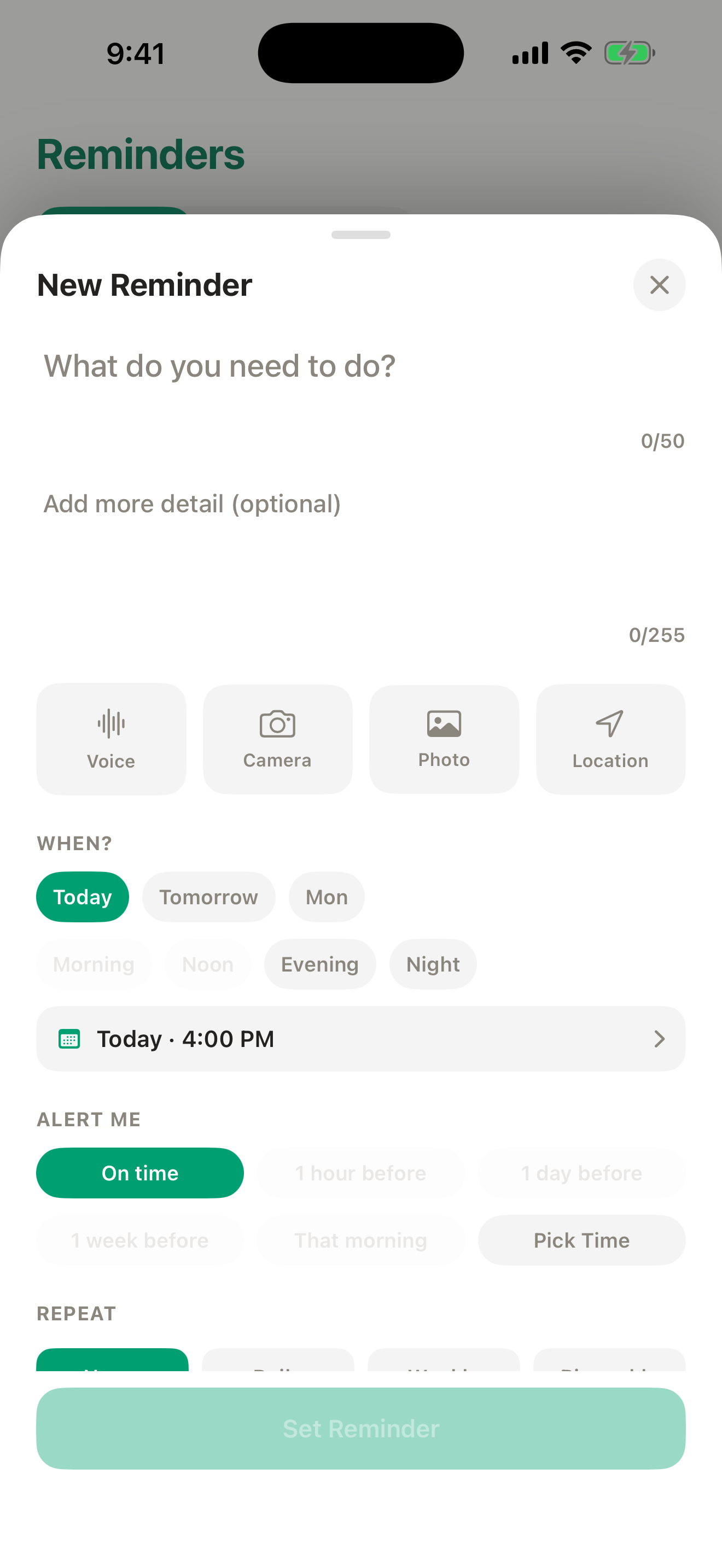
Small decisions get small controls. A reminder's moment is two rows of chips — today, tomorrow, the weekend, crossed with morning, noon, evening, night — because "tonight" is the most common reminder there is.
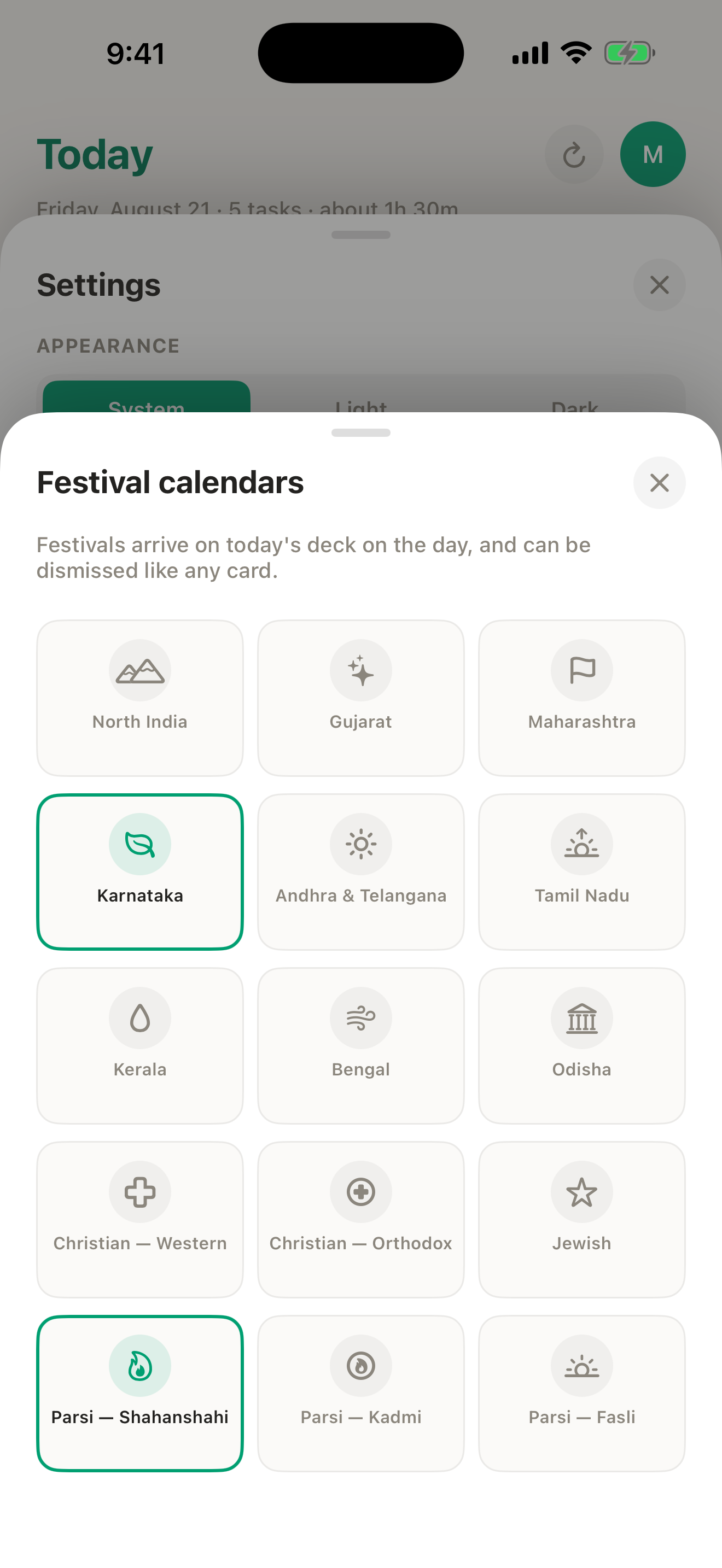
Fifteen festival calendars, built in.
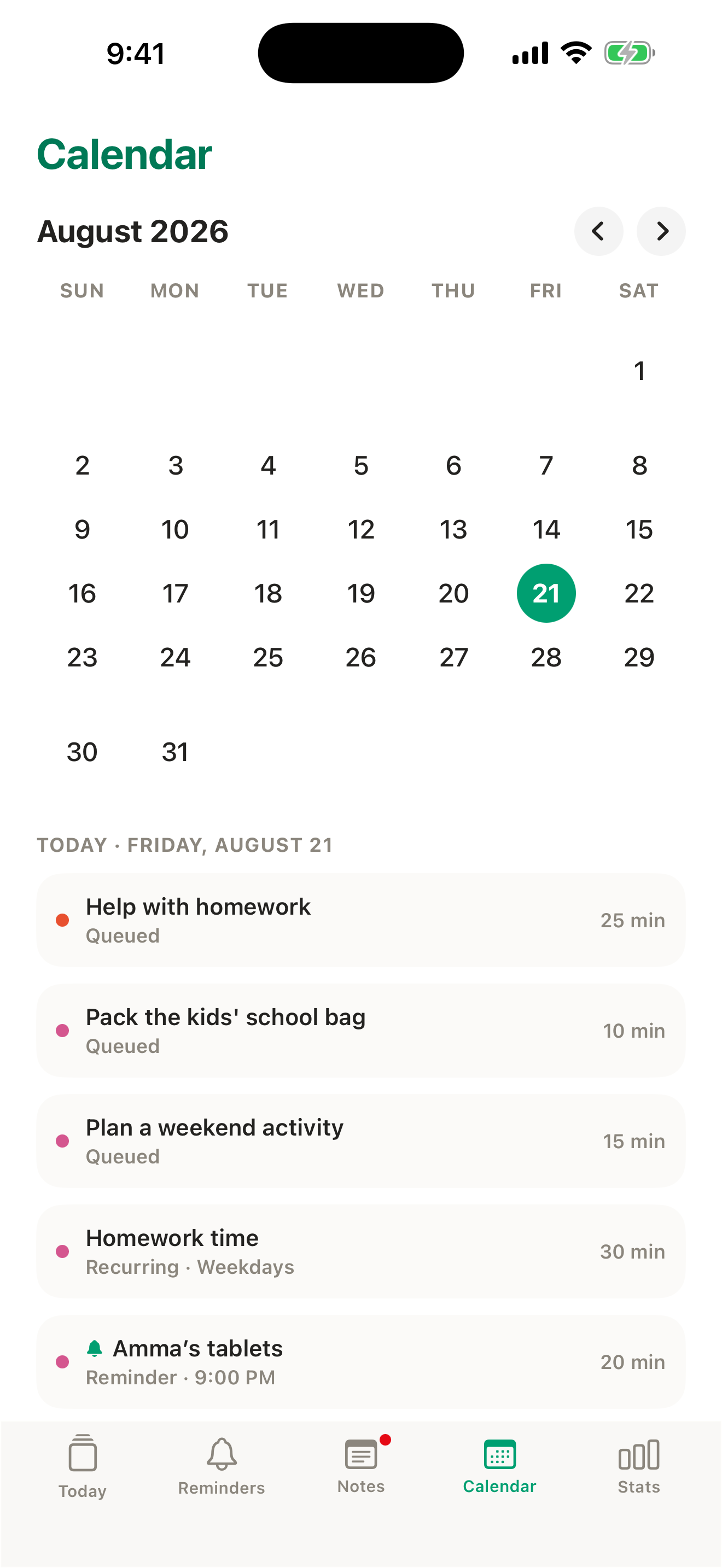
Nine regional Hindu reckonings from Bengal to Tamil Nadu, Western and Orthodox Christian, Jewish, and the Fasli, Kadmi and Shahanshahi Parsi calendars. 633 dated days from 2026 to 2030, inside the app, offline, free on every tier. The day arrives as a card on the morning it falls, and a festival card is not work: it cannot be started, counts toward nothing, and retires itself when the day is over.
Dates are computed for each region's own calendar and reference city — Karnataka against Bengaluru, for example — and have not yet been checked by a reviewer. Your temple or community may observe a day either side. Tell me if a date looks wrong.
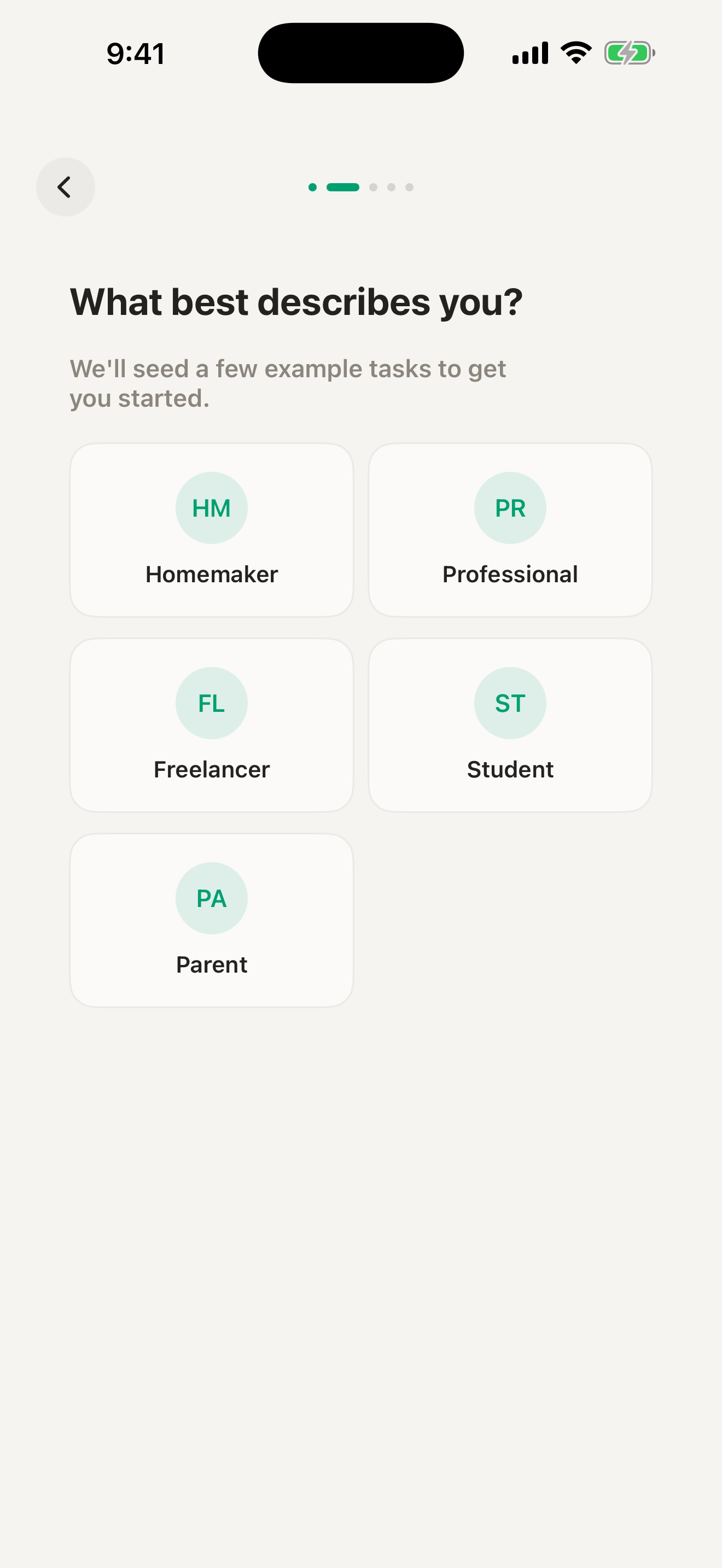
Tell it whose life this is.
Parent, homemaker, student, freelancer, professional. Pick one and the school run, homework hour and the check of the school bags arrive with real times, yours to accept or not. They become ordinary rows, indistinguishable from anything you made yourself.
Notes that hold their shape.
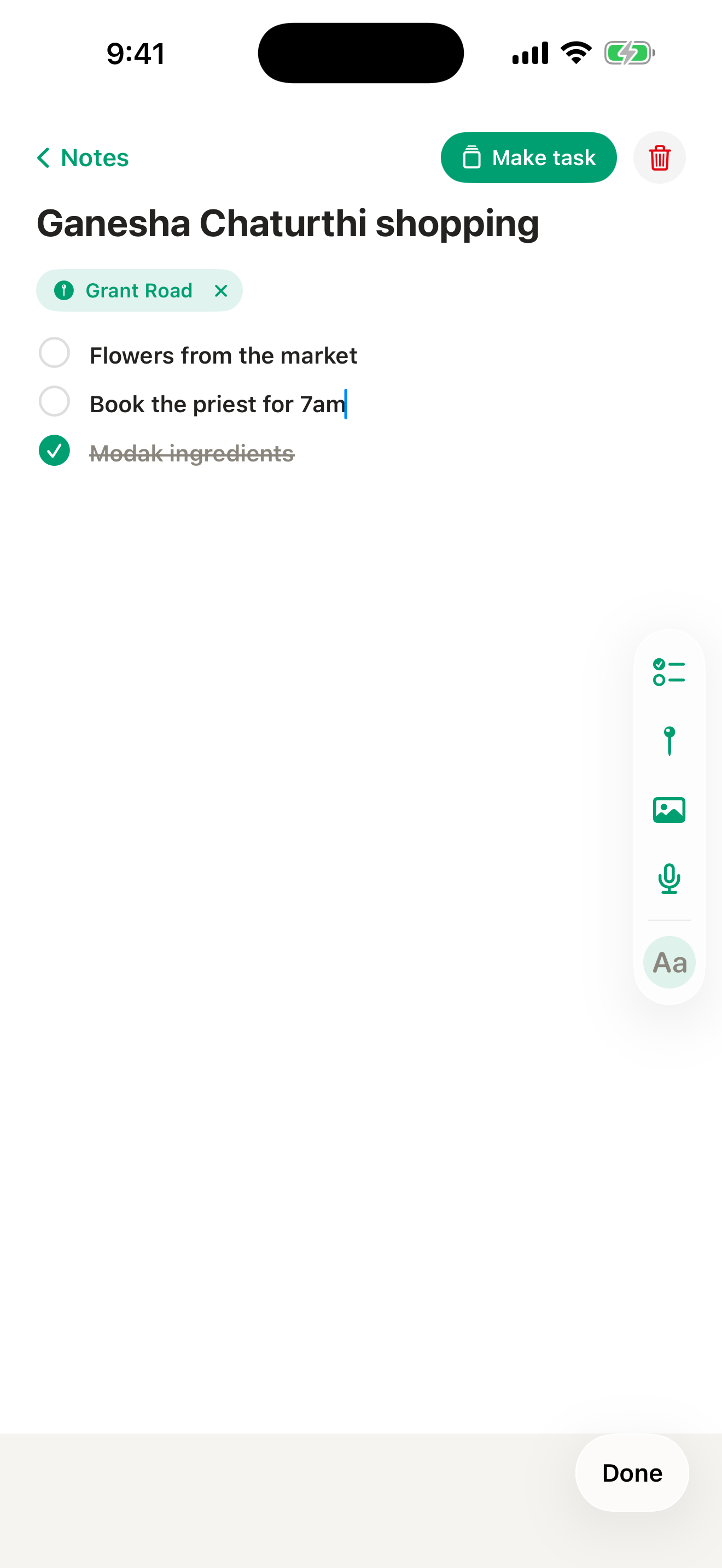
Notes are structured blocks: checklists, photos, a place, your voice. Ticked rows sink to the bottom; the note itself never reorders, because position is the document. A note becomes a task only when you decide how soon, or goes straight to the Bag with no date at all.
Attaching a place uses Apple Maps, the same as any other app on your phone.
No account. No server. No one watching.
Your tasks, notes and reminders never leave your phone. There is no Pop Task account and no Pop Task server, so the app works the same on a plane, in a basement car park, and in five years. Nothing about it can be switched off from somewhere else. The only record it keeps of your activity is whether something got finished on a given day.
telemetry = none
ad network = none
App Store label = Data Not Collected
export = JSON + photos + voice, never gated
Free today. Paid only when you use more than one device together.
Free
$0, always.
- The whole app on one iPhone.
- All fifteen festival calendars.
- Reminders, notes, repeats, export.
- No caps, no timer, no account needed.
Plus — coming later
about $4.49 a month (working price)
- Sync and push for a second device used together with your phone, longer history, sending a task to someone else.
Household — coming later
about $49 a year (working price)
- Up to six people, one payer.
- People you share with never pay.
The single-phone app, the festival calendars, backup and restore, and export stay free on every tier.
Nothing is for sale yet. When Plus exists it starts only after you add a second device, with fourteen days of real use first and no countdown before that.
If your plan lapses, nothing is deleted: push stops, your data stays, export keeps working.
Honest FAQ
Does it sync?
Not yet. Pop Task today is a single-phone app, and it is the whole app, with no caps and no timer. Sync is designed and not built; when it ships it will be the paid tier and the single-phone app stays free. Export is complete and never locked.
Is there an Android version?
No. An Android Pop Task would be its own app built from the ground up, not a port. When accounts exist, moving from iPhone to Android will be free and permanent.
Are the festival dates official?
No calendar app's are. Every date is computed against a named reckoning and reference city, shown on the calendar. Local observance can fall a day either side; if your temple follows a different city, tell me which.
I already use Drik Panchang, ZCal or Hebcal.
Keep them. For tithi, roj and muhurta they are the right tool. Pop Task is for getting through Tuesday, and it knows Tuesday is Ekadashi.
What do you collect?
Nothing. No account, no analytics, no advertising identifier. Attaching a place uses Apple Maps, like any other app.
What is the catch?
There isn't one today. The paid tier, when it exists, is for using several devices together. People you share with will never pay.
An empty deck by night is tomorrow's confidence, already banked.
Swipe through your day, one task at a time.
Download on theApp StoreFree · No account · iOS 18 and later
Made in Bengaluru. Fifteen calendars, 633 dated days, 2026 to 2030, inside the app.